What is Time Shooter 2?
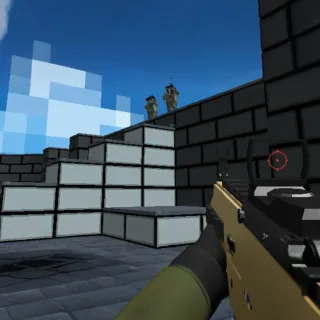
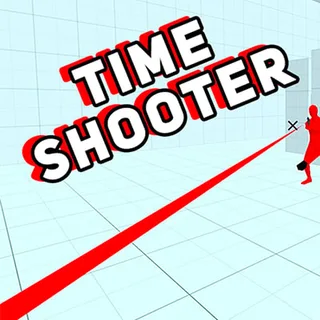
Time Shooter 2 is a first-person shooter with one idea, and the idea is good enough to carry the whole game: time moves only when you move. Stand still and the room freezes, bullets hanging in the air like ornaments; take a step and everything creeps forward. You begin every level with empty hands in a pale low-poly world full of red enemies, and you clear it by picking up whatever is lying around, using it until it runs dry, throwing it in someone’s face and taking theirs.
GoGoMan released it in 2022 as the follow-up to Time Shooter, and it is the one people mean when they say the name. It borrows the rule from SUPERHOT and keeps it honest: there is no health bar and no regeneration. One bullet ends the level. That sounds cruel and turns out to be the opposite, because you can see every bullet coming and the only question is whether you moved when you should have stood still.
How to play Time Shooter 2
- Press Play above, pick QWERTY or AZERTY, and start level one.
- Look around with the mouse first. Nothing moves until you do, so use the free moment to find the nearest weapon and the nearest enemy.
- Walk to a weapon and click to pick it up. Click again to fire. Ammo is short; count your shots.
- When a bullet is coming at you, step sideways. You have all the time in the world as long as you spend it standing still.
- When the gun is empty, throw it at an enemy to stun him, walk over and take his.
- Shatter everyone in the room and the level ends. There are dozens of them, each a little more crowded.
The habit that wins: move in short steps and stop between them. Every step is a decision. Running across a room is a dozen decisions made at once, and one of them is usually wrong.
Time Shooter 2 controls
| Action | Keys | Notes |
|---|---|---|
| Move | WASD (ZQSD on AZERTY) | Movement is what advances time |
| Look / aim | Mouse | Turning also advances time, slowly |
| Shoot / pick up | Left click | Click a weapon on the floor to take it |
| Throw | R or right click | Stuns an enemy; works with any object |
| Pause | Tab | Also opens settings |
| Fullscreen | The icon under the player | Recommended for aiming |
The weapons
- Pistol. The most common pickup. Accurate, a handful of rounds, and the best thing to throw when it is empty.
- Shotgun. Ends anything at close range and is useless across the room. Take it when the level is a corridor.
- Submachine gun. Sprays. Good for two enemies at once, bad for ammo discipline; it is empty faster than it feels.
- Rifle. The long-range answer. Slow to bring up, so stop moving before you aim.
- Sniper. One shot, one enemy, from anywhere. Rare, and worth the walk.
- Knives and bottles. Thrown, not swung. A knife thrown into an enemy is a kill; a bottle is a stun.
- Fists. You always have them. A punch on a stunned enemy is a kill, and a stunned enemy is a free gun.
Tips for clearing every level
- Stop before you shoot. Moving while firing costs accuracy and advances time. Step, stop, shoot.
- Read the bullets, not the enemies. Each bullet has a line. If it is not pointed at you, ignore it; if it is, one step is enough.
- Throw first, then take. An empty gun thrown at a full one is a trade in your favour every time.
- Use the corners. Enemies come to you. Around a corner, they come one at a time.
- Count ammo. A pistol with one round left is a throwing object. Plan for it before it clicks.
- Turn slowly. A fast spin costs more time than a slow one. If a bullet is close, turn your body, not your head.
- Levels are short. A death costs seconds. Experiment; the fun is in the fifth attempt where everything lands.
Playing on a Chromebook, laptop or desktop
Time Shooter 2 is a Unity WebGL game and runs in any modern browser with a keyboard and a mouse. It needs the mouse for aiming, so a trackpad works but a mouse is much better, and a phone is not the place for it. Use the fullscreen button under the player: the low-poly world is built to be read at a glance and the wider the view, the more bullets you see coming. If the game stutters, close the other tabs first.
Why Time Shooter 2 is still worth playing
Most browser shooters are about reflexes. This one is about attention. The slow-motion rule turns a firefight into a puzzle you solve one step at a time, and the low-poly world makes every bullet, every gun and every enemy legible from across the room. It is the rare action game where you can be bad at aiming and still feel brilliant, because the brilliance is in deciding when not to move.
Frequently asked questions about Time Shooter 2
Is Time Shooter 2 free to play here?
Yes. The game runs in this page in your browser. There is nothing to download or install and no account to create. Press Play, choose QWERTY or AZERTY and the first level starts.
What is Time Shooter 2?
Time Shooter 2 is a first-person shooter by GoGoMan with one rule borrowed from SUPERHOT: time moves only when you move. Stand still and the bullets hang in the air; step forward and everything advances a little. You start each level empty-handed, pick weapons up from the floor or off the enemies you drop, and clear the room. The second game added new weapons, throwable objects and many more levels than the original.
How does the slow motion work?
Time is tied to your movement. Walking, turning and shooting all advance the clock; standing still freezes it almost completely. The skill of the game is knowing when to stop: a bullet that is about to hit you can be sidestepped because you can see it coming, and a room full of enemies is really a series of one-on-one moments if you take a step at a time.
How do I get a weapon?
Walk up to one and click. Enemies drop theirs when they shatter, and most levels start with something on a table or the floor nearby. Weapons have limited ammo: when a gun is empty, throw it at an enemy to stun him and take his.
Can I throw things?
Yes. The throw key hurls whatever you are holding. An empty pistol, a bottle or a knife thrown at an enemy stuns him for a moment, which is usually long enough to close the distance and take his gun. Throwing is the fastest way to disarm a room without ammo.
What are the controls?
WASD to move, the mouse to look, left click to shoot or pick up, and R or right click to throw. Tab pauses. The menu lets you switch to an AZERTY layout for French keyboards. A mouse is strongly recommended; the game runs on a laptop trackpad but aiming is much harder.
What is the difference between Time Shooter 2 and Time Shooter 3?
Time Shooter 3: SWAT is the sequel with a police theme: riot shields, new guns, hostages to protect and larger arenas. It is on this site too. Time Shooter 2 is the tighter of the two, with faster levels and simpler rules; most players prefer to learn it first.
Can I play Time Shooter 2 on a phone?
The game is built for a keyboard and mouse. It will load on a phone browser, but there are no touch controls for aiming and moving at once, so a laptop, desktop or Chromebook is the right place to play it.
Does my progress save?
Level progress is kept in the browser on this device. Play from the same browser to continue where you stopped; a private window or a cleared browser starts you from level one.